Premium/ A simple way to blend multiple images in Photoshop
Do you struggle to blend multiple images together in post-production? Below are 9 straightforward steps to combine images in Photoshop. This will work for both focus and exposure stacking, combining multiple photos to achieve the perfect picture. Step 1: Import both images into Photoshop 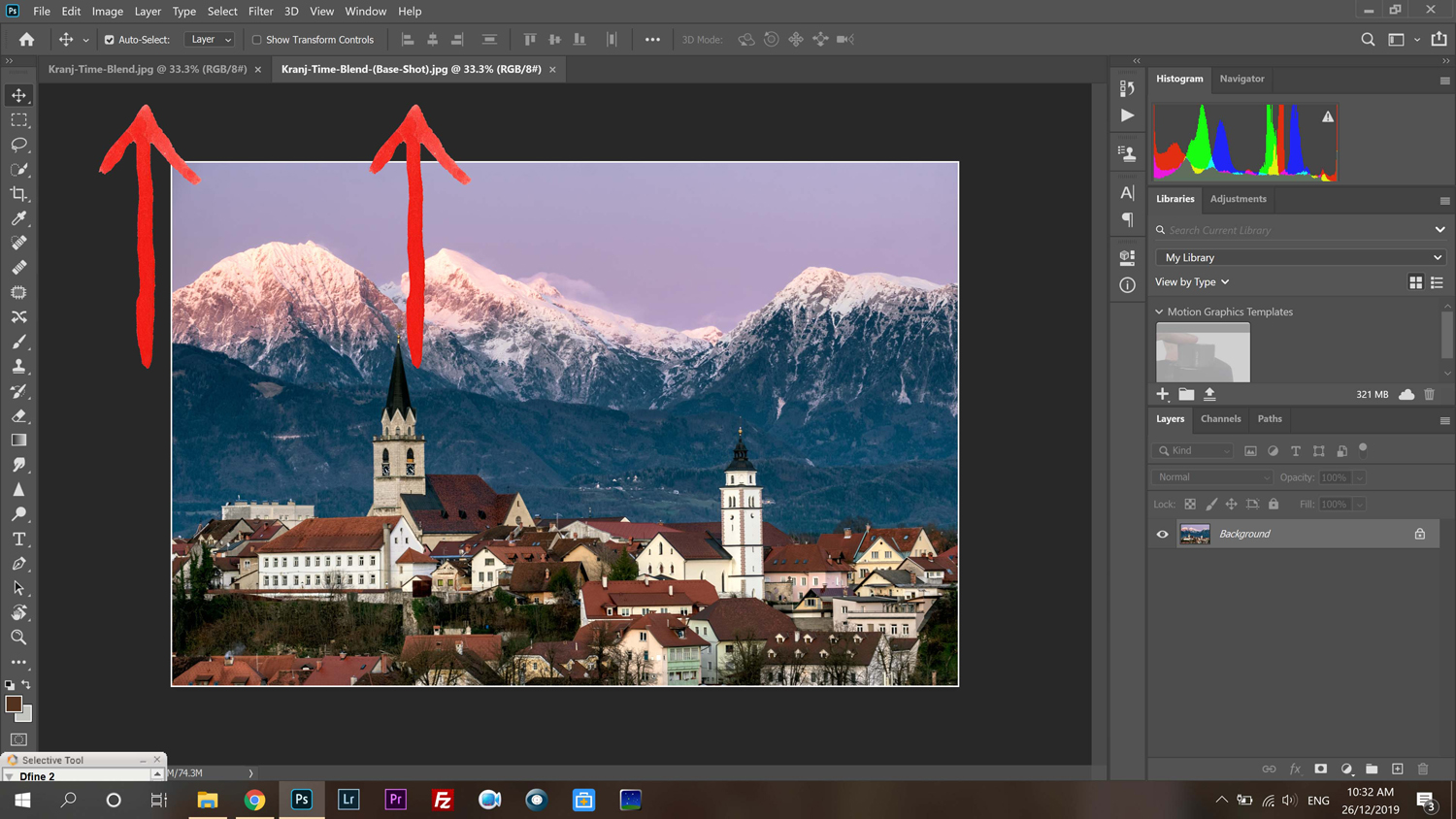 Step 2: Place the images together on the same window, this can be done by:
- Select all (Control + A)
- Copy image (Control + C)
- Close page (Control + W)
- Paste Image (Control + V)
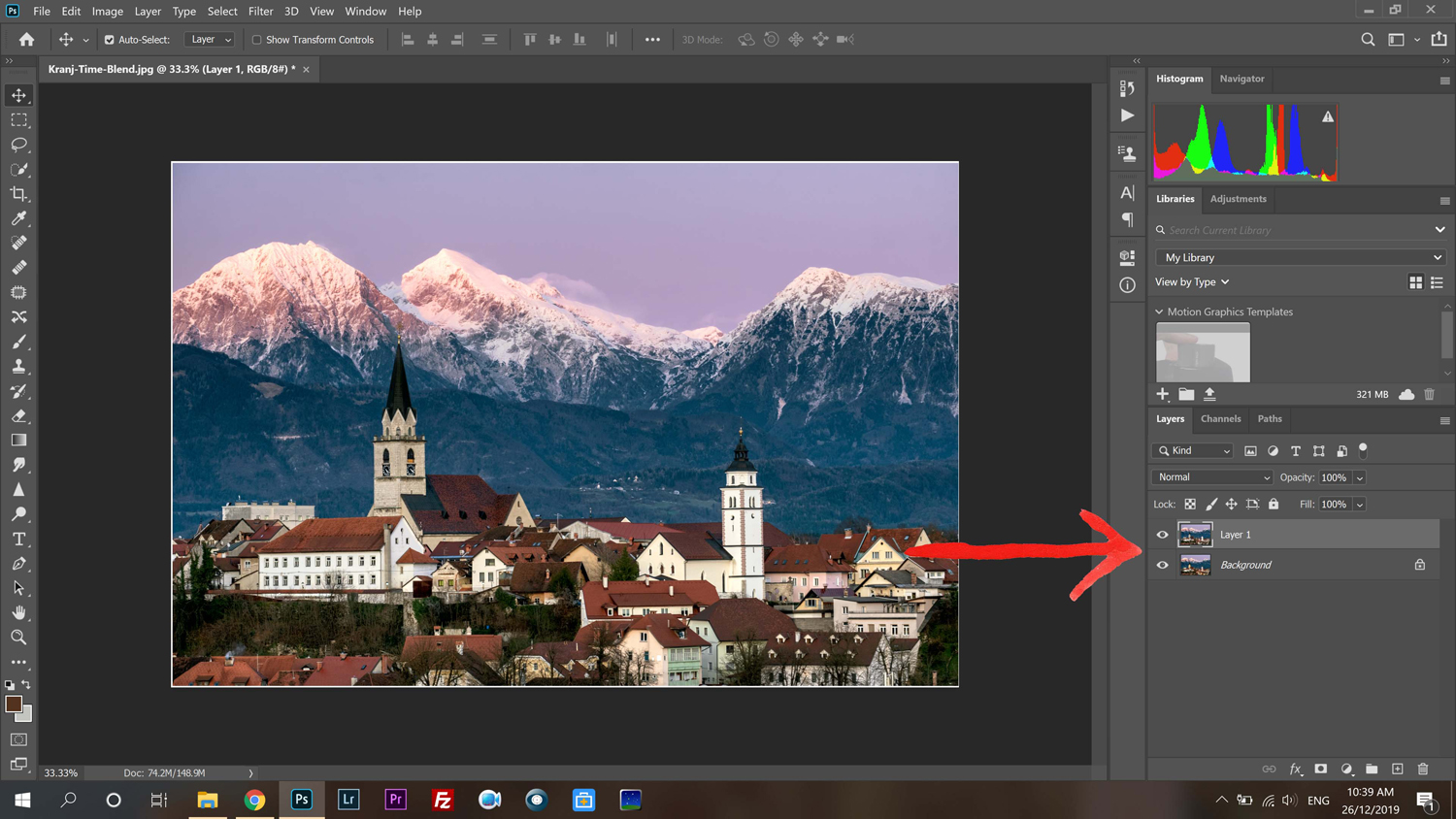 Step 3: Click the padlock on the right-hand side. This will unlock the image and allow us to edit the image.
 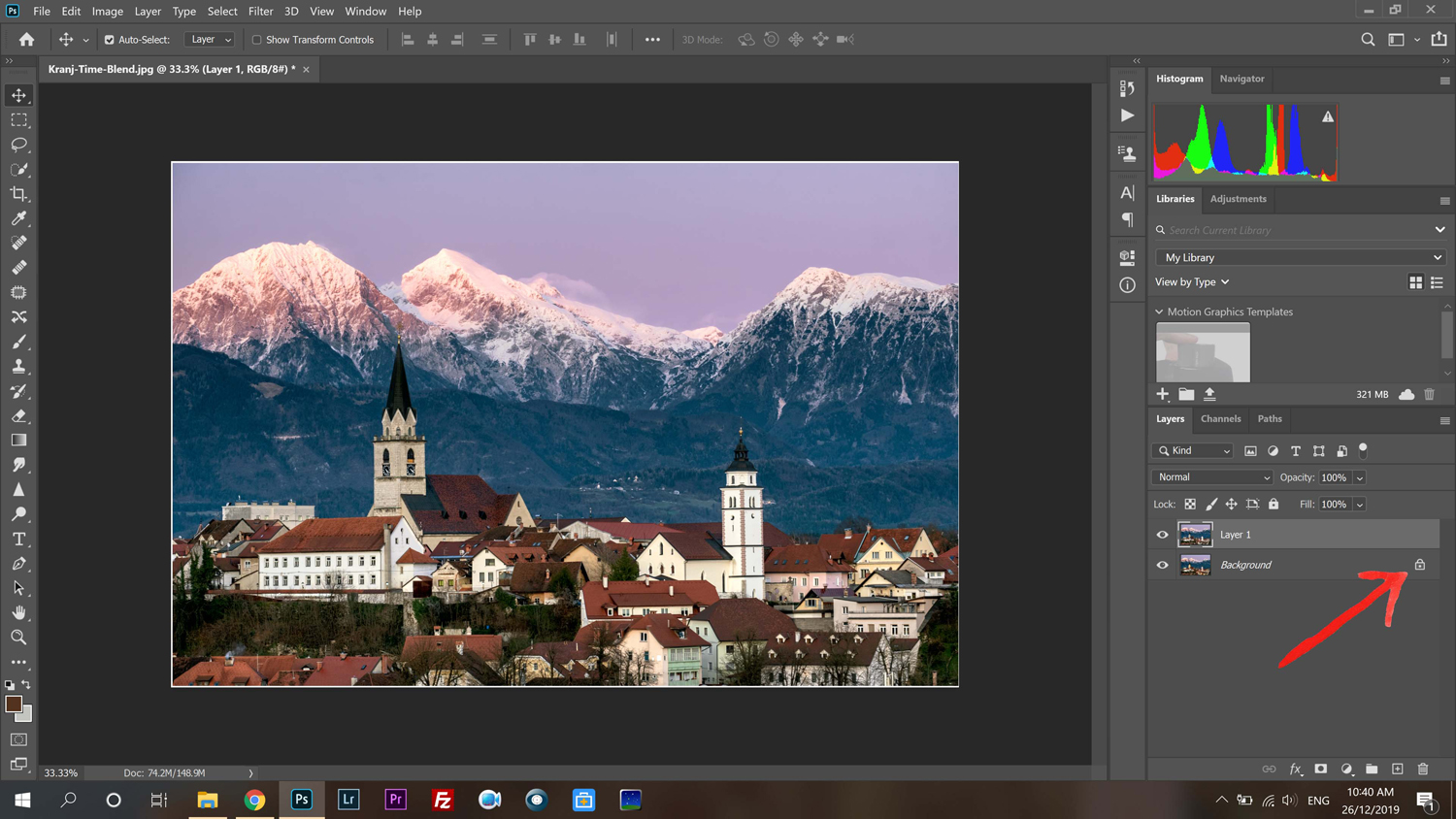 Step 3a: POWER TIP – Rename the images to foreground & background CONTINUE READING…